ROBEXTER
external overlay for the roblox client · rust + egui, imgui dark · windows
Interface only. Every switch flips a bool, nothing is read from or written
to the game. The one real thing it does is track the client window so the
menu can sit inside it.
Screens
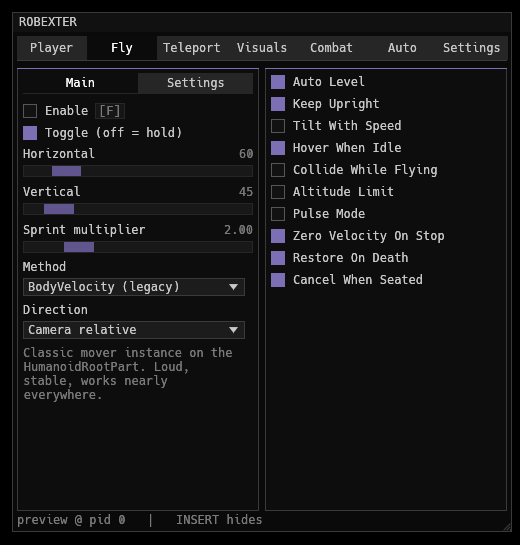 fly — twelve methods
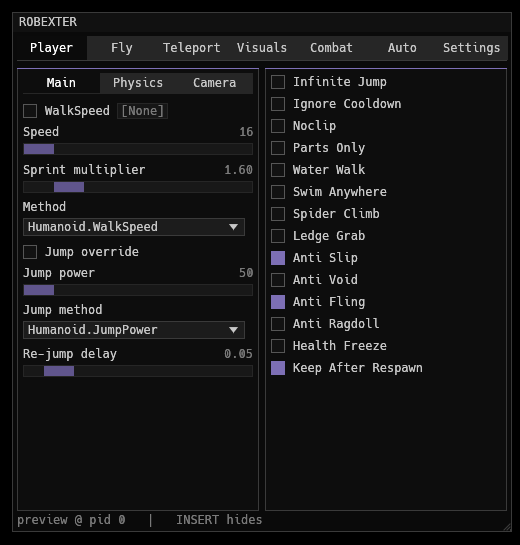 player — speed, jump, clipping, camera
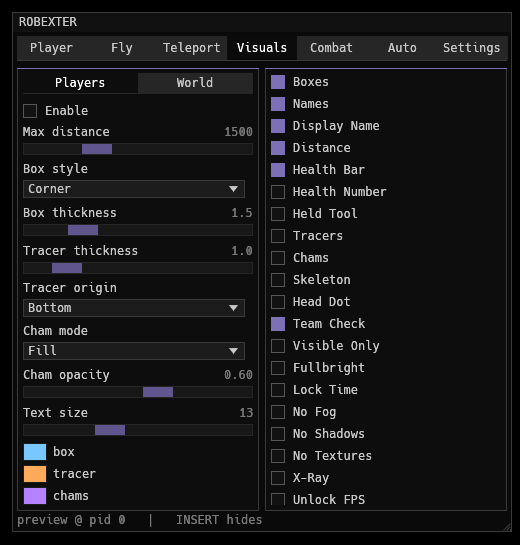 visuals — esp, chams, world
 settings — key, scale, configs
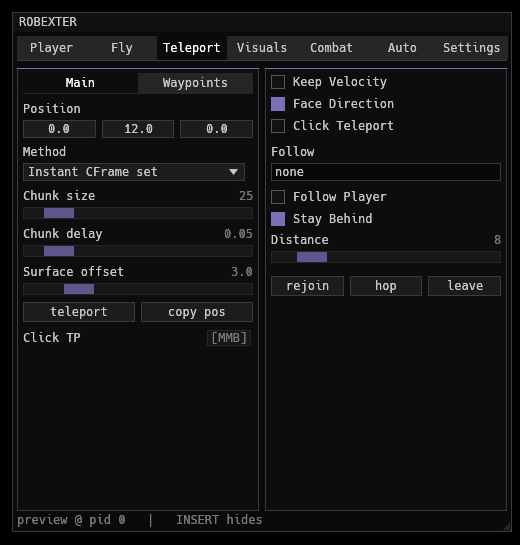 teleport — coords, waypoints, follow
Run it
Drop the exe anywhere and start it. The menu is a window that floats inside
the game viewport: it follows the client around, hides when you
tab out, and lets clicks through to the game everywhere except over itself.
With the client closed it stays hidden.
| Insert | show / hide (rebindable to Delete, Home, End, RShift, F1, F4) |
| title bar | drag to move it around the viewport, corner resizes |
| bind button | left click to rebind, right click to clear |
| alt+f4 | closes the overlay |
Tabs
- player — walkspeed with six apply methods, jump power / jump height / impulse, infinite jump, gravity, hipheight, noclip, water walk, swim anywhere, spider climb, ledge grab, anti void / fling / ragdoll, fov, zoom unlock, third person lock
- fly — bodyvelocity, bodygyro + bodyvelocity, linearvelocity, vectorforce, alignposition + alignorientation, cframe loop on renderstepped and heartbeat, assemblylinearvelocity, platformstand + velocity, tween glide, zero gravity walk, seat carry. speeds, acceleration, smoothing, tilt, hover, altitude ceiling, pulse mode, binds
- teleport — coordinates, instant / chunked / tween / velocity, click teleport, waypoint list, follow a player, rejoin and hop
- visuals — boxes, names, distance, health, tracers, chams, skeleton, fullbright, fog, shadows, textures, x-ray, saturation, time of day, frame cap
- combat — hitbox expander, reach, aura, aim assist with fov circle and smoothing, prediction
- auto — anti afk, rejoin on kick, server hop, autoclicker, collect and farm loops, macro
- settings — menu key, interface scale, dock toggle, config slots
How it sticks to the window
EnumWindows for a visible window belonging to RobloxPlayerBeta.exe (the UWP
client and Studio count too), GetClientRect plus ClientToScreen for its client
area, GetForegroundWindow for focus, GetAsyncKeyState for the hotkey and
GetCursorPos for the click-through test. The overlay is a borderless
transparent topmost window with no taskbar entry, sized to the client area,
passthrough on until the cursor reaches the menu. That is all of
src/attach.rs.
Build
cargo build --release --target x86_64-pc-windows-gnu   # cross, needs mingw-w64
cargo build --release --target x86_64-pc-windows-msvc  # on windows
cargo run --release                                    # preview on linux/mac
Off windows there is no key hook and no window to dock to, so it opens as a
normal window and takes Insert from egui. Handy for working on the layout.